
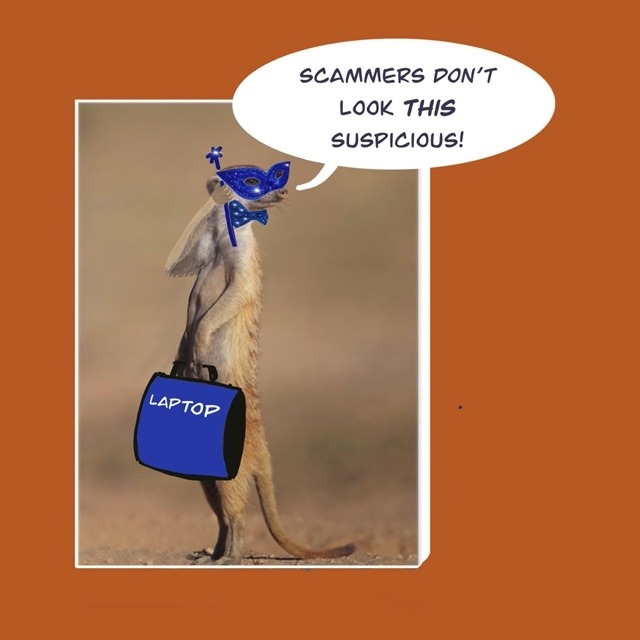


Imagine your gate intercom ‘dinged’ and, on peering out of the front window, you saw a man wearing a sparkly carnival mask standing on your pavement. There’s no way you would let him in, would you?
But what if he was driving a white bakkie, wearing branded overalls and said he’d come to check your overhead electricity lines because “We’ve been having trouble in this street since the storm hit last weekend.” You’d be much more likely to at least have a conversation with him, I’m sure.
And that’s exactly what hackers count on when they send you a phishing email… creating enough familiarity to give you a sense of safety.
For the sake of completeness: What’s a “phishing email”?
In face-to-face conversation, someone might be “fishing for information” by asking you slightly intrusive or inappropriate questions.
In the digital world of email conversations, a similar thing happens – but for nefarious purposes. “Phishing” is the word that security folks use to describe the technique of sending out masses of emails (to people who haven’t asked/given permission to be contacted) to gather personal information that will prove valuable in committing identity theft.
And what’s identity theft?
Identity theft is when someone gains enough of your personal data to pose as you credibly enough to carry out financial transactions. Accessing bank accounts or applying for loans, store cards or credit cards in your name are some of the common actions of identity thieves.
So now that you know the terminology, here’s the next chapter in this potential phishing story…
You’ve got an email in your Inbox, and initially it looks legitimate.
It’s familiar enough that it could come from a company that you do regular business with, because the sender name seems credible and the email has all the right logos in it.
There are just a couple of things that make you suspicious: the email says there’s a problem that needs your immediate attention, and asks you to click on a link to help the company rectify the problem for you.
Which TWO places can you look to allay (or confirm) suspicions about the email?
- First, double-check the Sender: click on the drop-down arrow beside the sender name (on a PC) or directly on the sender name (on a Mac). This will reveal the actual email address of the sender (rather than the displayed name, which is just a label that they chose for themselves). Look for suspicious email addresses: sometimes they are obvious, but they can also be very similar to an actual company, just with an extra letter, number or other small difference that could look like a typo.
- Second, hover (but don’t click) your mouse cursor over the link in the body of the email. When you do this, the actual address (called the URL) of the website, to which the link leads, will be revealed. Again, look carefully at the details of that URL, it may be leading you to a website that does NOT belong to a legitimate company.
What if using drop-down arrows and mouse-hovering makes you nervous?
Feeling unsettled by the thought of having to identify a dodgy email address or website name is totally understandable, and there are other ways of sidestepping potential threats.
The simplest one is this: don’t click on any link in an email.
If you need to access a company website, open your internet browser yourself and type in the company website name directly. That way you can be sure that you are going exactly where you want to go, and not being waylaid by scammers.
In short then:
- If you get an email that asks you to take (urgent) action…
- And that action involves clicking on a link and updating information of any sort…
- You should be suspicious!
- No matter how authentic the email looks, check it…
- And if you don’t feel confident checking the sender and link URL yourself, open your internet browser and type in the correct company website address directly.
- If in doubt, call the company fraud line (using the number from the actual company website, not from the suspicious email) and ask them for help.

0 Comments